v0.5: A Shorter Setup
Getting started with My Transcriber is two permissions and a download, and now it says so on the first screen instead of letting you find out as you go. There's also a new option worth knowing about if you're on a recent Mac: Apple's own speech engine, which skips the download entirely.
Setup you can see the end of
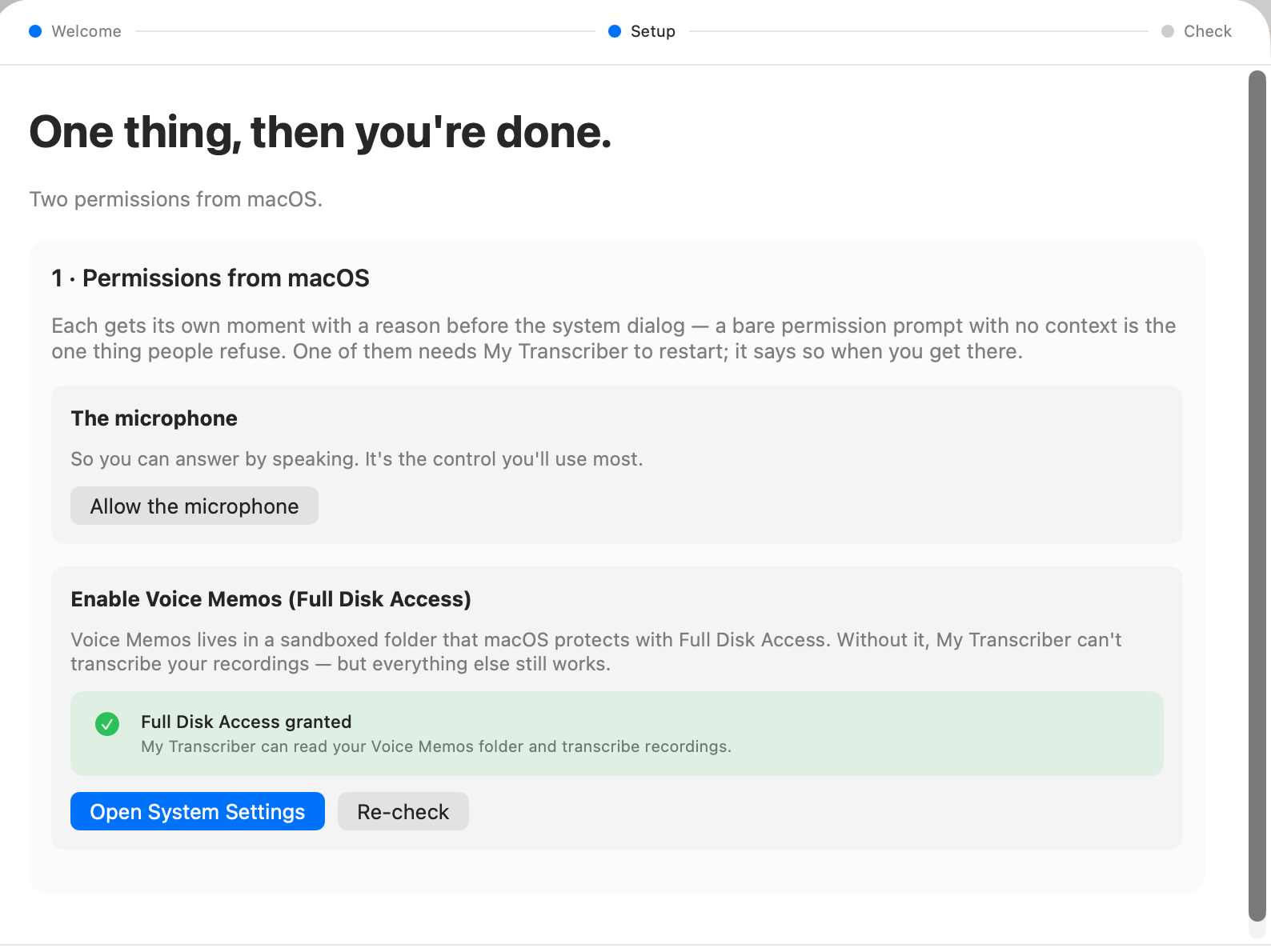
There was never much to set up here, and until now it didn't feel that way, because you met each thing as you arrived at it. The screen counts what's left and tells you: two permissions from macOS, and that's everything. There's no Terminal step and no account to make, and no decision about an AI service either, because the transcription happens on your own Mac.
Both permissions explain themselves before macOS puts its dialog up. A bare prompt with no reason attached is the one people say no to, and saying no to Full Disk Access here means the app quietly can't read your Voice Memos weeks later, which nobody traces back to a dialog they dismissed at the time. The screen also tells you which one needs the app to restart, at the point where you're doing it rather than after.
The 1.5 GB speech model is announced up front too. It used to simply begin, so the first thing the app did on a new Mac was saturate your connection without saying so. Now the welcome screen tells you it's starting and that it runs in the background, and the download survives your connection dropping rather than going back to the beginning, which is what used to make setting this up on a train a lost cause.
A test this app could never pass
At the end there's a screen that proves things work before you rely on them. My Transcriber shares its code with two sibling apps that drive an AI to do rather more, and that screen had been showing all three of them the same checks, including one that only makes sense in an app that installs an AI engine, which this one deliberately doesn't. So the one screen whose job is reassurance was handing you a test that could not pass.
It runs the speaking test and nothing else now, and it waits for you, because that test plays your voice back out of the speakers, which is the point of it.
Underneath, and what it unlocks
The rest of this release is groundwork. The app opens without waiting for its background helper to work through your library first, so a big collection no longer means a window that sits there looking stuck. The updater checks a signature we'd been publishing for months and never actually reading. Neither is anything you'll notice, and both are the sort of thing that gets expensive if you leave it.
One piece of it you can try today, if you're on Apple Silicon running macOS 26: Settings now has an Apple transcription (beta) option that uses Apple's own on-device speech engine instead of Whisper, and on long recordings it runs about twice as fast and needs no model download whatsoever, which makes the whole 1.5 GB question go away on machines that can use it.
It's off by default. Whisper still wins on tricky proper nouns, and Apple's engine has no Swedish or Finnish coverage at all yet, so the app falls back to Whisper file by file for anything it can't handle, which is what makes the switch safe to leave on: you get the speed where it works and your existing quality everywhere else. How far that goes is a lot of what the coming releases are about.
What's next
Two releases running, the theme was transcription you don't have to watch. This one was the install you don't have to nurse, which is less interesting to build and turns out to be where people give up. If you hit anything, Settings → Bug report sends it over with the log attached.
My Transcriber
Free. Local. Private. macOS 14+.
Not sure which? Apple menu → About This Mac. "Chip: Apple M..." = Apple Silicon. "Processor: Intel..." = Intel.
Stay updated
Get notified when we publish new posts. Sign up and we'll send updates straight to your inbox.