v0.6.0: A New Look, and My Transcriber in Claude Code and Codex
My Transcriber 0.6.0 is the first update since 0.5.0 in August, so it carries two months of work. Most of it is underneath, and the two things you will notice straight away are that the app looks different and that you can now use it from Claude Code or Codex in any folder, not only the one it keeps your transcripts in.
A new look
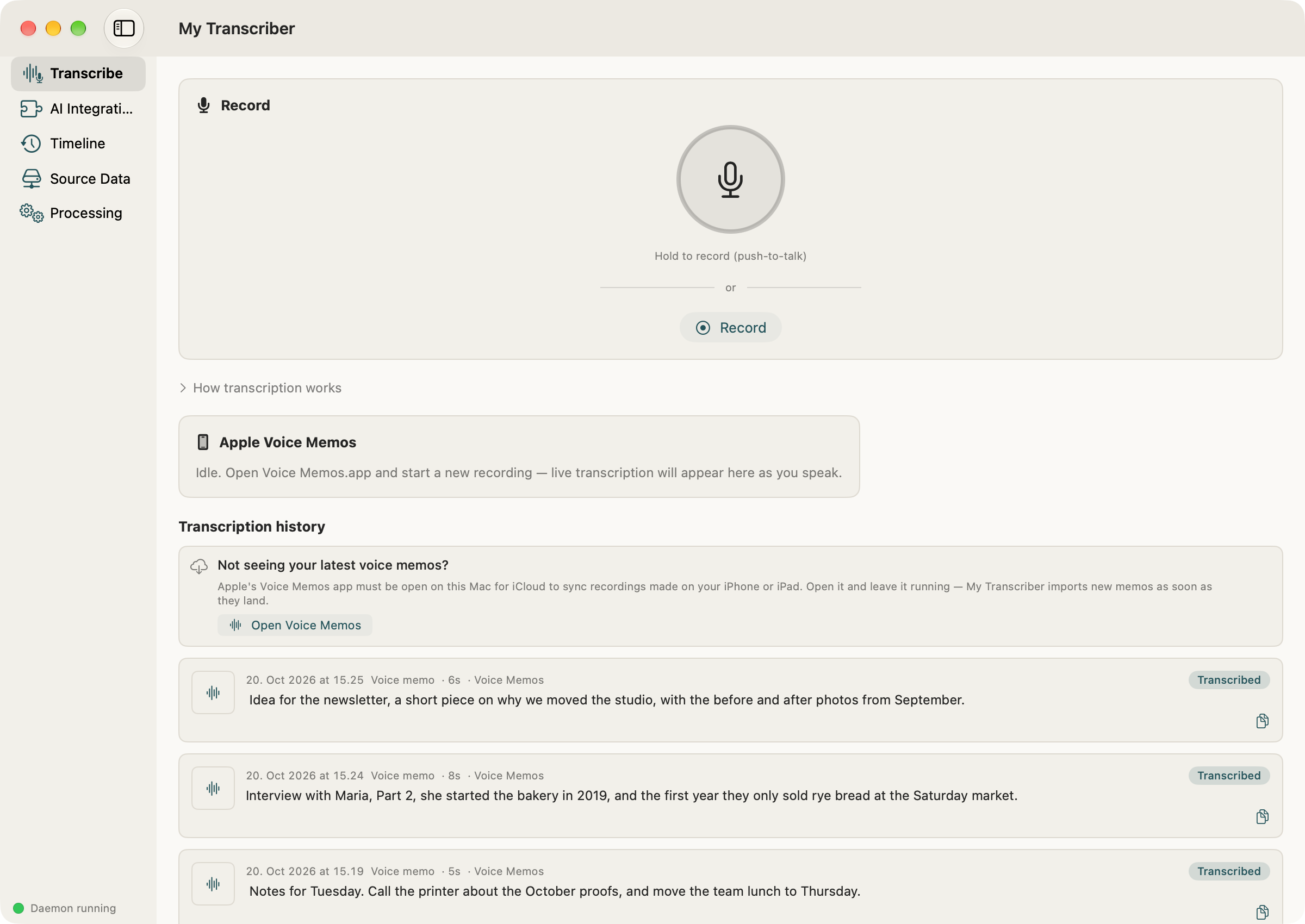
My Transcriber now uses the same paper design as Mind My Money, Clerk.AI and our newer apps: a warm off-white page instead of the system grey, titles in a serif, and one accent colour, a deep steel blue taken from the glass in the app's own icon. The sidebar stays where it was and every screen is still in the same place, so nothing has moved, it just reads more like a page than a settings window. Dark mode has its own version of the same palette.
From Claude Code or Codex
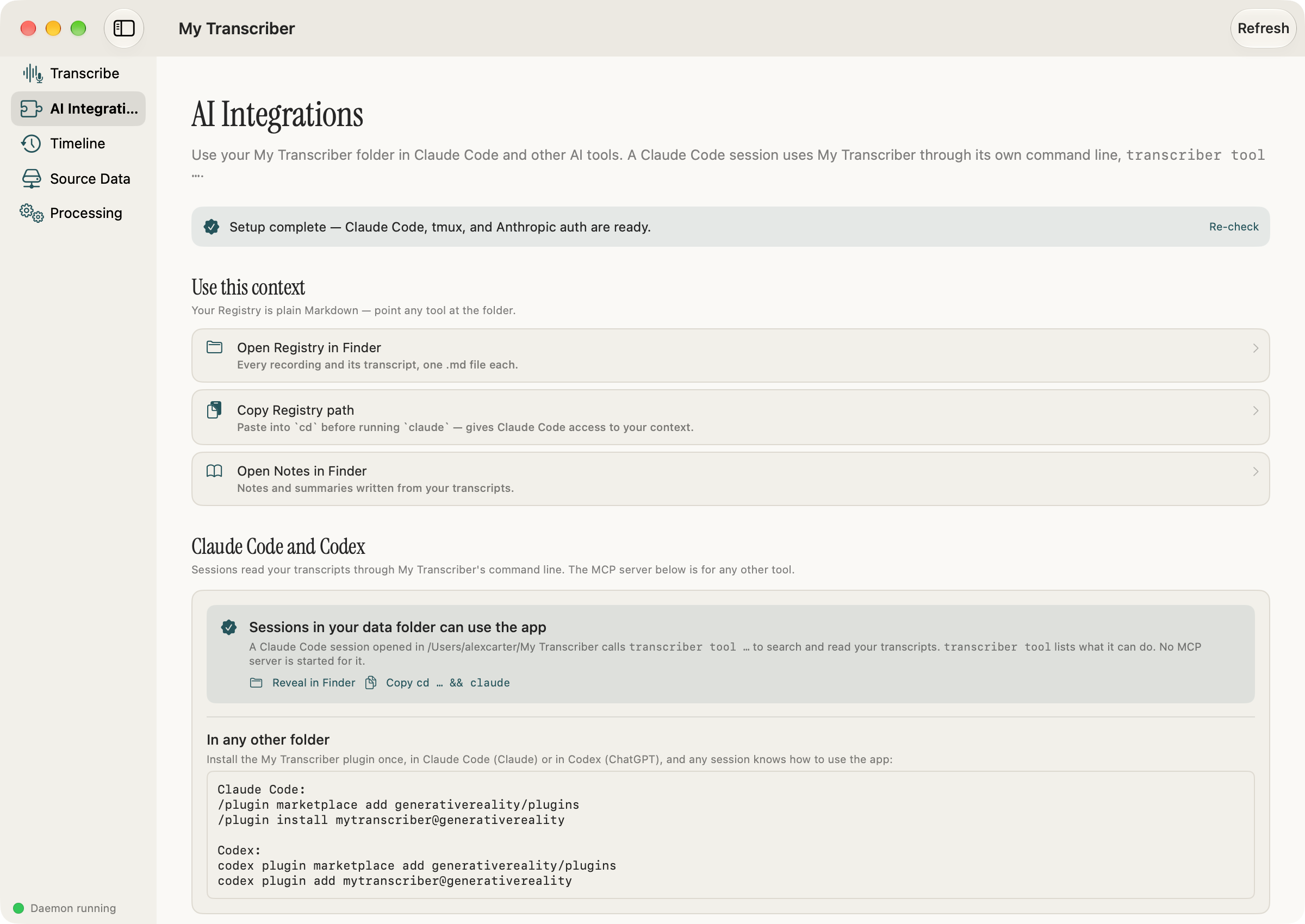
My Transcriber has a plugin in the generativereality marketplace, and it works in Claude Code (with a Claude subscription) and in OpenAI's Codex (with a ChatGPT one), because Codex reads the same marketplace. You add the marketplace and install the plugin once. In Claude Code:
/plugin marketplace add generativereality/plugins
/plugin install mytranscriber@generativereality
and in Codex, from a terminal:
codex plugin marketplace add generativereality/plugins
codex plugin add mytranscriber@generativereality
After that you can say "transcribe my latest voice memo", hand it an audio file, or ask "what did I say about the budget in my memos" in any session in any folder, and it uses My Transcriber for it rather than reaching for some other speech-to-text tool. The transcription still happens in the app on your Mac, and the recording and its transcript end up in your library like any other. When it is done, the session offers to open the transcription in My Transcriber's own window, so you can read it there instead of in a terminal. The plugin is designed to show you which file it is about to transcribe and ask before it starts, since voice memos are exactly the kind of thing you don't want transcribed by accident. AI makes mistakes, though, and what a session does with your files is your responsibility, whether or not you checked it first.
The MCP server is still there for anything else that speaks MCP (transcriber mcp-server, and AI Integrations has the snippet to copy). What changed is that the app no longer writes
it into your transcripts folder, so a Claude Code session there doesn't load dozens of tool
descriptions it mostly never uses.
First run
The Full Disk Access card says what it is for now: your existing voice memos sit in a folder macOS keeps locked, and this is what lets My Transcriber see and transcribe them. It also checks again while it is on screen, so if access is already on it notices, where before it could go on asking until you pressed Recheck. First run ends on the screen that shows your own words transcribed, with a button that says "All set — let's go".
Windows
There is also an early alpha for Windows PCs. So far it has only the Transcribe screen (record, or give it a file, and read the transcript) and no Voice Memos, since those live on a Mac. It's linked from the download page (here it is), and I'd like to hear how it does on your machine.
Fixes
- Apple Voice Memos saves most recordings as .m4a and now and then one as .qta, and My Transcriber only looked for the first kind, so the .qta ones were passed over without any error. It now goes by what is inside the file, and any you have are picked up on the next scan.
- Your transcripts folder keeps a local history of itself: when transcripts and notes change it
makes a git commit, with the recordings kept out of it. Nothing is sent anywhere, and
vault_sync_commitin config.json turns it off. - While the speech model loads, the mic says "Transcribing (warming up)…" instead of looking stuck.
- Opened straight from the disk image, the app offers to move itself to Applications.
- If the background helper stops answering, a banner says so, with a way to restart it or send us a report.
- The helper uses less processor time when idle, and its log no longer fills up with the same two lines every five seconds.
Download it from mytranscriber.app, or let the app update itself if you already have it.
My Transcriber
Free. Local. Private. macOS 14+.
Not sure which? Apple menu → About This Mac. "Chip: Apple M..." = Apple Silicon. "Processor: Intel..." = Intel.
Stay updated
Get notified when we publish new posts. Sign up and we'll send updates straight to your inbox.